PERSONALIZED GUIDED MEDITATION
A meditation
made for you.
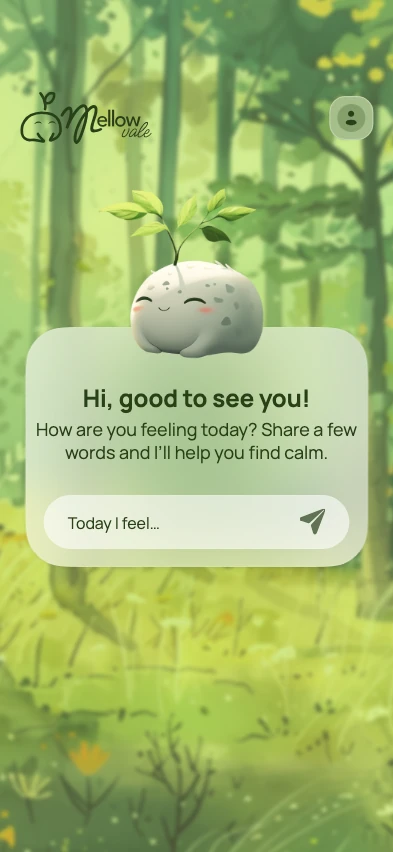
Type a few words about how you feel or what you need. Mellow Vale uses AI to create a guided audio meditation from your check-in.
“I’m feeling overwhelmed. Can you help me find a little calm?”A Gentle Pause
Start wherever you are.
A few words about your day are enough to begin.
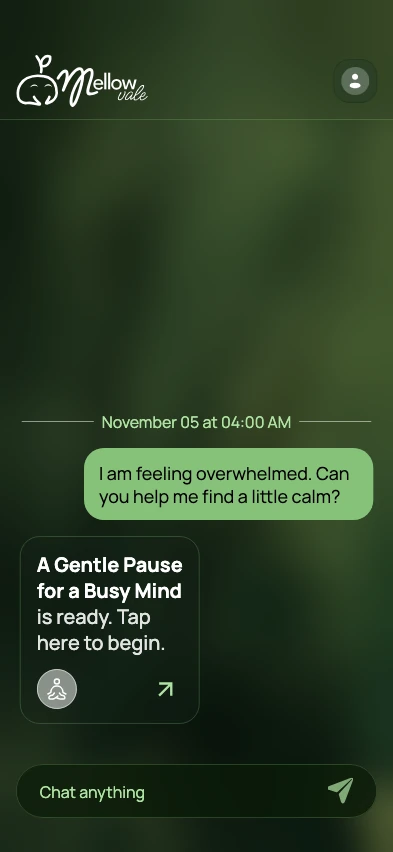
Get a guided session
Mellow Vale creates a meditation around what you shared. Open the session when you’re ready.
Listen at your pace
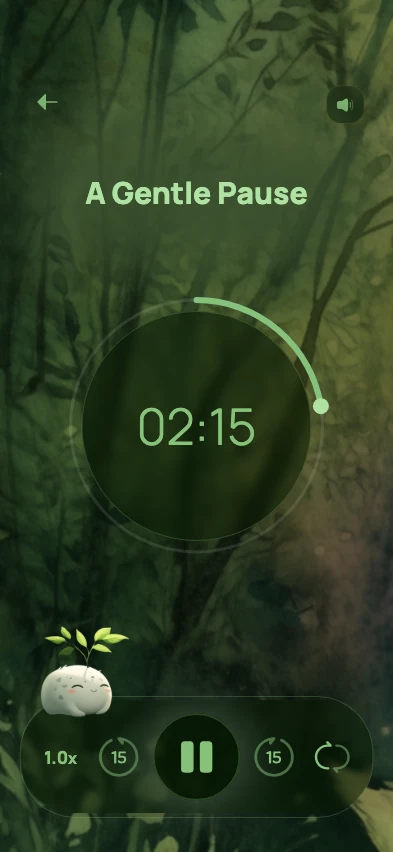
Settle into the narration. Adjust the playback speed or background music to suit the moment.
Listen without background music
Begin with the day you’ve had.
Some days you have a few minutes between calls. Other days you want a quiet way to end the evening. Tell Mellow Vale what’s going on, how much time you have, or what you’d like to focus on.
For a break between meetings, try “I have a few minutes at my desk. Guide me through a short practice focused on the sounds around me.”
What to say in your first check-inA space that feels like yours.
Choose the narration language, then make the sound comfortable when you listen.
- Pick a voice and languageExplore 714 voice options across 154 language and regional choices, including English, Spanish, French, Hindi, Chinese, and Japanese.Browse languages and voices
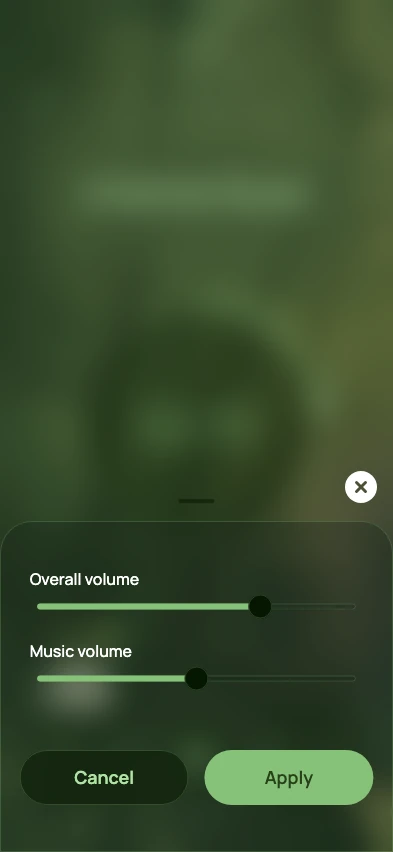
- Find the right soundAdjust the overall volume and lower the background music to make the voice easier to hear.
- Choose a secular or spiritual styleSessions are secular by default. You can choose a spiritual mode in Settings if you prefer.
Meditation guides for everyday moments
Try a first check-in, follow a short practice that fits your day, or learn to listen without background music.
- Guided meditation languages and voicesExplore 714 meditation voice options across 154 language and regional choices, including English, Spanish, French, Hindi, Chinese, and Japanese.
- How to start a personalized guided meditationLearn what to write in your first meditation check-in. Use example prompts for a busy mind, a short break, or a quieter evening.
- A five-minute bedtime wind-down meditationFollow a five-minute guided meditation script before bed, with simple steps for setting the day aside and choosing where to rest your attention.
- A short midday meditation for a busy mindTake a three-minute meditation break between tasks. Follow a simple seated practice, with options for a shared workspace or a noisy room.
- A five-minute meditation to unwind after workTry a five-minute after-work meditation to close out your shift, set unfinished tasks aside, and make room for the rest of your day.
- How to listen to a guided meditation without background musicTurn off background music in the Mellow Vale player and keep the guided voice audible. Use the separate Music volume and Overall volume sliders.
Frequently asked questions
How is the meditation personalized?
You start with a short chat. Mellow Vale uses what you share about your mood or day to prepare a guided audio session.
Can I try Mellow Vale for free?
Yes. Guests can create up to 7 meditations in a rolling 7-day period. A free account raises that to 14. Mellow Vale Plus removes the weekly limit. See monthly and annual prices in the app.
Do I need an account?
You can start as a guest. Sessions you create while signed in stay linked to your account across devices.
How long is a session?
Guided sessions are short, and the length varies. The player shows how much time is left.
Can I change the sound?
Yes. Choose a narration voice in Settings. In the player you can change playback speed and adjust overall volume and background music level separately.
Which meditation languages are available?
The current catalogue has 154 language and regional choices with 714 voice options. Each language has its own voices; US English currently has 65. These choices are for narration. The app’s menus are in English. Browse all languages and voices.
Can I keep my sessions secular?
Yes. The default is None (Secular). If you choose an optional spiritual mode, your meditation can include readings or mantras that reflect your selection.
How are my check-ins used?
Your check-in is processed online to create your guided session. Read how Mellow Vale handles app data.

Take a moment for yourself.
Start with how you feel today.